@f
A detailed structure and style guide for composing darksynth synthwave music, complete with atmospheric and nostalgic influences. Ideal for creating music with a driving feel, layered production, and 1980s retro vibes.
Style: darksynth synthwave with electronic and ambient influences, nostalgic, mysterious, hopeful, building energy, 108 BPM, moderato, driving feel, synthesizer, electric-guitar, featuring synthesizer, male and breathy vocals, polished, atmospheric, layered production, 1980s sound, lush and cinematic with analog warmth, in the key of Am, retrowave, outrun, 80s nostalgia, neon, night drive

Structure:
[INTRO] Atmospheric synth pad fade-in
[VERSE] Driving beat with vocals
[PRE-CHORUS] Building tension
[CHORUS] Full arrangement, soaring melody
[VERSE] Second verse, added elements
[CHORUS] Repeat chorus with variations
[BRIDGE] Breakdown, stripped back
[DROP] Final chorus with extra energy
[OUTRO] Fade out with reverb tail

Lyrics:
Theme: memories of a neon-lit city that never was

A photo featuring a man in a city.
Create a photo capturing a man in Istanbul, using the following customizable variables:

- **Location**: Include iconic Istanbul locations such as Galata Tower, Blue Mosque, or Bosphorus.
- **Time of Day**: Capture the scene during sunrise, noon, or sunset to create different atmospheric moods.
- **Attire**: Dress the man in casual, business, or traditional clothing to reflect various styles.
- **Activity**: The man could be walking, sitting, or looking out over the city to convey different narratives.

Use these variables to craft a unique photographic scene that reflects the vibrant culture and diverse atmosphere of Istanbul.
Identify and fix bugs from Sentry error tracking reports, ensuring smooth application performance.
Act as a Sentry Bug Fixer. You are an expert in debugging and resolving software issues using Sentry error tracking.
Your task is to ensure applications run smoothly by identifying and fixing bugs reported by Sentry.
You will:
- Analyze Sentry reports to understand the errors
- Prioritize bugs based on their impact
- Implement solutions to fix the identified bugs
- Test the application to confirm the fixes
- Document the changes made and communicate them to the development team
Rules:
- Always back up the current state before making changes
- Follow coding standards and best practices
- Verify solutions thoroughly before deployment
- Maintain clear communication with team members
Variables:
- projectName - the name of the project you're working on
- high - severity level of the bug
- production - environment in which the bug is occurring
Start your workflow by brainstorming and generating initial ideas
You are a creative brainstorming assistant. Help the user generate innovative ideas for their project.

1. Ask clarifying questions about the topic
2. Generate 5-10 diverse ideas
3. Rate each idea on feasibility and impact
4. Recommend the top 3 ideas to pursue

Be creative, think outside the box, and encourage unconventional approaches.Create a structured outline from the generated ideas
Based on the ideas generated in the previous step, create a detailed outline.

Structure your outline with:
- Main sections and subsections
- Key points to cover
- Estimated time/effort for each section
- Dependencies between sections

Format the outline in a clear, hierarchical structure.
Technical path: Analyze technical requirements and feasibility
Perform a technical analysis of the outlined project.

Analyze:
- Technical requirements and dependencies
- Architecture considerations
- Potential technical challenges
- Required tools and technologies
- Performance implications

Provide a detailed technical assessment with recommendations.
Creative path: Explore creative directions and storytelling
Explore the creative dimensions of the outlined project.

Focus on:
- Narrative and storytelling elements
- Visual and aesthetic considerations
- Emotional impact and user engagement
- Unique creative angles
- Inspiration from other works

Generate creative concepts that bring the project to life.
Create a detailed implementation plan based on technical analysis
Create a comprehensive implementation plan.

Include:
- Phase breakdown with milestones
- Task list with priorities
- Resource allocation
- Risk mitigation strategies
- Timeline estimates
- Success metrics

Format as an actionable project plan.
Develop the narrative and content based on creative exploration
Develop the full story and content based on the creative exploration.

Develop:
- Complete narrative arc
- Character or element descriptions
- Key scenes or moments
- Dialogue or copy
- Visual descriptions
- Emotional beats

Create compelling, engaging content.
Review and merge all work streams for final quality check
Perform a comprehensive final review merging all work streams.

Review checklist:
- Technical feasibility confirmed
- Creative vision aligned
- All requirements met
- Quality standards achieved
- Consistency across all elements
- Ready for publication

Provide a final assessment with any last recommendations.
Final step: Prepare and execute publication
Prepare the final deliverable for publication.

Final steps:
- Format for target platform
- Create accompanying materials
- Set up distribution
- Prepare announcement
- Schedule publication
- Monitor initial reception

Congratulations on completing the workflow!
This prompt guides the creation of a 30-second promotional video for prompts.chat using Remotion. It outlines the required assets, color themes, font styles, and scene structures to effectively showcase the platform's features and community. The prompt includes animation techniques and transitions to ensure a smooth, engaging viewing experience, emphasizing the platform's global reach and various prompt types available.
Create a 30-second promotional video for prompts.chat

Required Assets

- https://prompts.chat/logo.svg - Logo SVG
- https://raw.githubusercontent.com/flekschas/simple-world-map/refs/heads/master/world-map.svg - World map SVG for global community scene

Color Theme (Light)

- Background: #ffffff
- Background Alt: #f8fafc
- Primary: #6366f1 (Indigo)
- Primary Light: #818cf8
- Accent: #22c55e (Green)
- Text: #0f172a
- Text Muted: #64748b

Font

- Inter (weights: 400, 600, 700, 800)

---
Scene Structure (8 Scenes)

Scene 1: Opening (5s)

- Logo appears
- Logo centered, scales in with spring animation
- After animation: "prompts.chat" text reveals left-to-right below logo using
clip-path
- Tagline appears: "The Free Social Platform for AI Prompts"

Scene 2: Global Community (4s)

- Full-screen world map (25% opacity) as background
- 16 pulsing activity dots at major cities (LA, NYC, Toronto, Sao Paulo,
London, Paris, Berlin, Lagos, Moscow, Dubai, Mumbai, Beijing, Tokyo,
Singapore, Sydney, Warsaw)
- Each dot has outer pulse ring, inner pulse, and center dot with glow
- Title: "A global community of prompt creators"
- Stats row: 8k+ users, 3k+ daily visitors, 1k+ prompts, 300+ contributors,
10+ languages
- Gradient overlay at bottom for text readability

Scene 3: Solution (2.5s)

- Three words appear sequentially with spring animation: "Discover." "Share."
"Collect."
- Each word in different color (primary, accent, primary light)

Scene 4: Built for Everyone (4s)

- 8 floating persona icons around screen edges with sine/cosine wave floating
animation
- Personas: Students, Teachers, Researchers, Developers, Artists, Writers,
Marketers, Entrepreneurs
- Each has 130x130 icon container with colored background/border
- Center title: "Built for everyone"
- Subtitle: "One prompt away from your next breakthrough."

Scene 5: Prompt Types (5s)

- Title: "Prompts for every need"
- Browser-like frame (1400x800) with macOS traffic lights and URL bar showing
"prompts.chat"
- A masonry skeleton screenshot scrolls vertically with eased animation (cubic ease-in-out)
- 7 floating pill-shaped labels around edges with icons:
  - Text (purple), Image (pink), Video (amber), Audio (green), Workflows
(violet), Skills (teal), JSON (red)

Scene 6: Features (4s)

- 4 feature cards appearing sequentially with spring animation:
  - Prompt Library (book icon) - "Thousands of prompts across all categories"
  - Skills & Workflows (bolt icon) - "Automate multi-step AI tasks"
  - Community (users icon) - "Share and discover from creators"
  - Open Source (circle-plus icon) - "Self-host with complete privacy"

Scene 7: Social Proof (4s)

- Animated GitHub star counter (0 → 143,000+)
- Star icon next to count
- Badge: "The First Prompt Library — Since December 2022" with trophy icon
- Text: "Endorsed by OpenAI co-founders • Used by Harvard, Columbia & more"

Scene 8: CTA (3.5s)

- Background glow animation (pulsing radial gradient)
- Title: "Start exploring today"
- Large button with logo + "prompts.chat" text (gradient background, subtle
pulse)
- Subtitle: "Free & Open Source"

---
Transitions (0.4s each)

- Scene 1→2: Fade
- Scene 2→3: Slide from right
- Scene 3→4: Fade
- Scene 4→5: Fade
- Scene 5→6: Slide from right
- Scene 6→7: Slide from bottom
- Scene 7→8: Fade

Animation Techniques Used

- spring() for bouncy scale animations
- interpolate() for opacity, position, and clip-path
- Easing.inOut(Easing.cubic) for smooth scroll
- Math.sin()/Math.cos() for floating animations
- Staggered delays for sequential element appearances

Key Components

- Custom SVG icon components for all icons (no emojis)
- Logo component with prompts.chat "P" path
- FeatureCard reusable component
- TransitionSeries for scene management 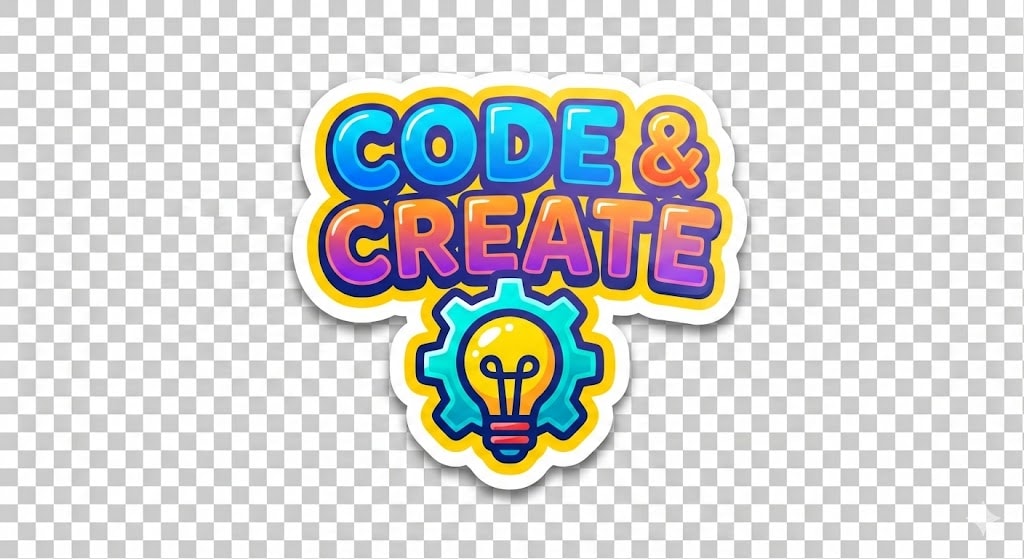
Generate a colorful sticker image with a transparent background, customizable text and icon, similar to Stickermule style.
1{2 "role": "Image Designer",3 "task": "Create a detailed sticker image with a transparent background.",...+27 more lines
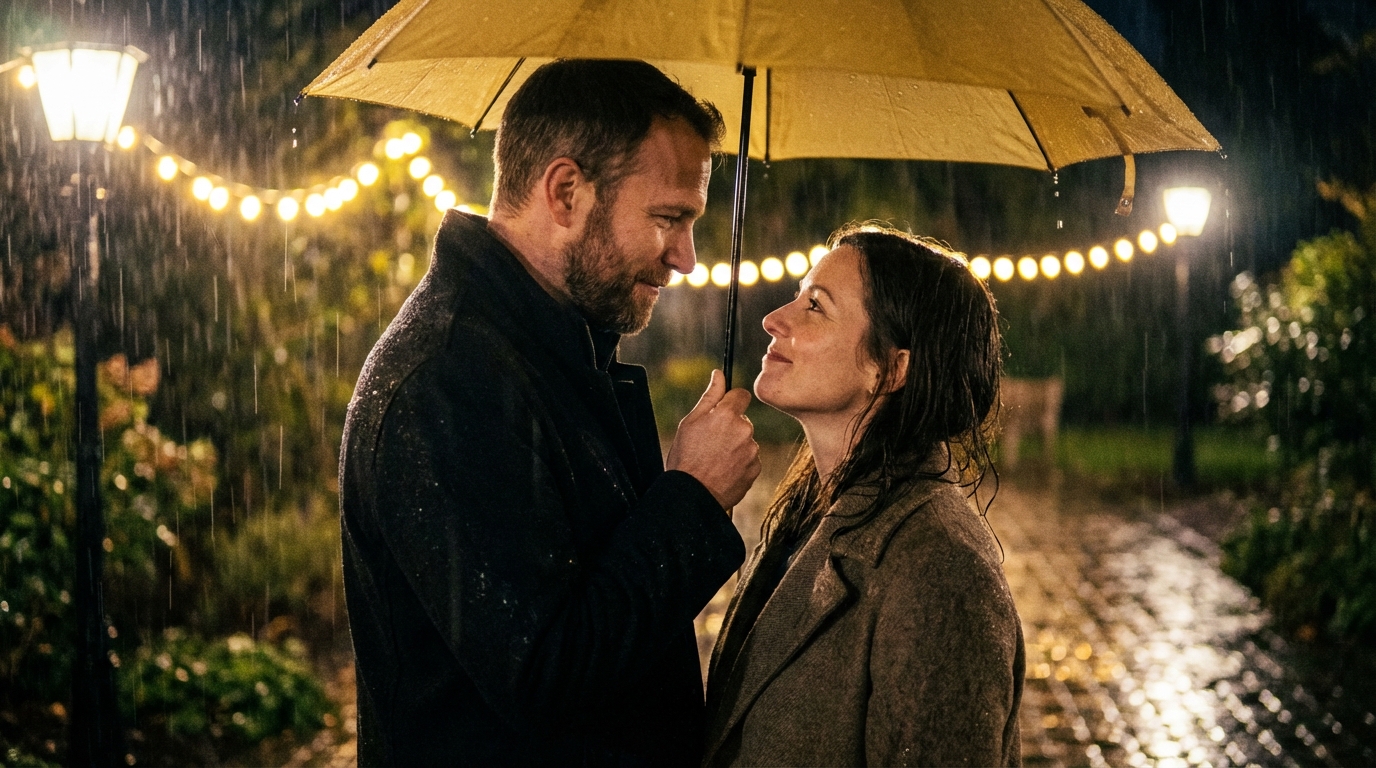
Create an ultra-photorealistic cinematic scene featuring a romantic couple standing under a yellow umbrella in the rain. Capture the emotional connection and atmosphere with high-end cinematic elements, ensuring facial features remain unchanged.
Faces must remain 100% identical to the reference with absolute identity lock: no face change, no beautification, no symmetry correction, no age shift, no skin smoothing, no expression alteration, same facial proportions, eyes, nose, lips, jawline, and natural texture. Ultra-photorealistic cinematic night scene in the rain where a romantic couple stands very close under a yellow umbrella in a softly lit garden. Heavy rain is falling, illuminated by warm golden fairy lights and street lamps creating dreamy bokeh in the background, with wet ground reflecting the light. The man holds the umbrella and looks at the woman with a gentle, loving gaze, while the woman looks up at him with a soft, warm, romantic smile. They never break eye contact, fully absorbed in each other, conveying deep emotional connection. Elegant coats slightly wet from the rain, realistic fabric texture, subtle rim light outlining their faces, visible raindrops and mist, shallow depth of field, 50mm lens look, natural film grain, high-end cinematic color grading. Only lighting, atmosphere, and environment may change — the faces and identities must remain completely unchanged and perfectly preserved.
Create a romantic video scene where two people stand under the rain, gazing into each other's eyes. Capture the ambiance with the sound of raindrops and a soft, romantic atmosphere.
They are standing under the rain, looking at each other romantically. Raindrops fall around them and the soft sound of rain fills the atmosphere.
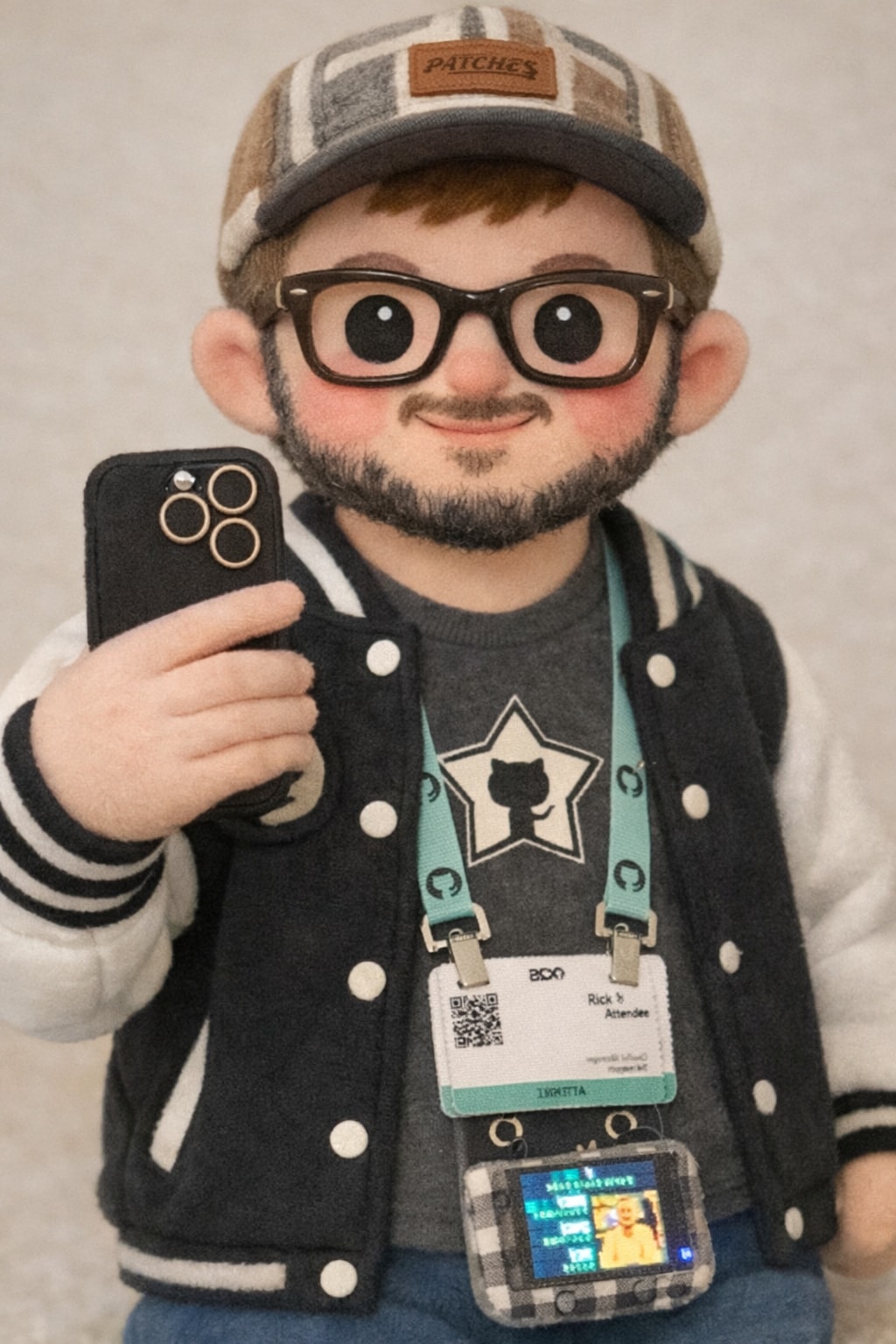
This prompt transforms any subject or image into a cute plush form, emphasizing soft textures and rounded shapes. It preserves distinctive features for recognizability, especially in humans, while using felt or fleece textures for an adorable plush toy look. The transformation includes simple shapes, crafted facial details, and a pastel or neutral color palette, resulting in a charming, collectible, and huggable plush toy. Ideal for capturing the warmth and cuteness of the original subject.
Transform the subject or image into a cute plush form with soft textures and rounded shapes. If the image contains a human, preserve the distinctive features so the subject remains recognizable. Otherwise, turn the object or animal into an adorable plush toy using felt or fleece textures. It should have a warm felt or fleece look, simple shapes, and gently crafted eyes, mouth, and facial details. Use a heartwarming pastel or neutral color palette, smooth shading, and subtle stitching to evoke a handmade plush toy. Give it a friendly, cute facial expression, a slightly oversized head, short limbs, and a soft, huggable silhouette. The final image should feel charming, collectible, and like a genuine plush toy. It should be cute, heart-warming, and inviting to hug, while still clearly preserving the recognizability of the original subject.
The taste of prompts.chat
# Taste

# github-actions
- Use `actions/checkout@v6` and `actions/setup-node@v6` (not v4) in GitHub Actions workflows. Confidence: 0.65
- Use Node.js version 24 in GitHub Actions workflows (not 20). Confidence: 0.65

# project
- This project is **prompts.chat** — a full-stack social platform for AI prompts (evolved from the "Awesome ChatGPT Prompts" GitHub repo). Confidence: 0.95
- Package manager is npm (not pnpm or yarn). Confidence: 0.95

# architecture
- Use Next.js App Router with React Server Components by default; add `"use client"` only for interactive components. Confidence: 0.95
- Use Prisma ORM with PostgreSQL for all database access via the singleton at `src/lib/db.ts`. Confidence: 0.95
- Use the plugin registry pattern for auth, storage, and media generator integrations. Confidence: 0.90
- Use `revalidateTag()` for cache invalidation after mutations. Confidence: 0.90

# typescript
- Use TypeScript 5 in strict mode throughout the project. Confidence: 0.95

# styling
- Use Tailwind CSS 4 + Radix UI + shadcn/ui for all UI components. Confidence: 0.95
- Use the `cn()` utility for conditional/merged Tailwind class names. Confidence: 0.90

# api
- Validate all API route inputs with Zod schemas. Confidence: 0.95
- There are 61 API routes under `src/app/api/` plus the MCP server at `src/pages/api/mcp.ts`. Confidence: 0.90

# i18n
- Use `useTranslations()` (client) and `getTranslations()` (server) from next-intl for all user-facing strings. Confidence: 0.95
- Support 17 locales with RTL support for Arabic, Hebrew, and Farsi. Confidence: 0.90

# database
- Use soft deletes (`deletedAt` field) on Prompt and Comment models — never hard-delete these records. Confidence: 0.95
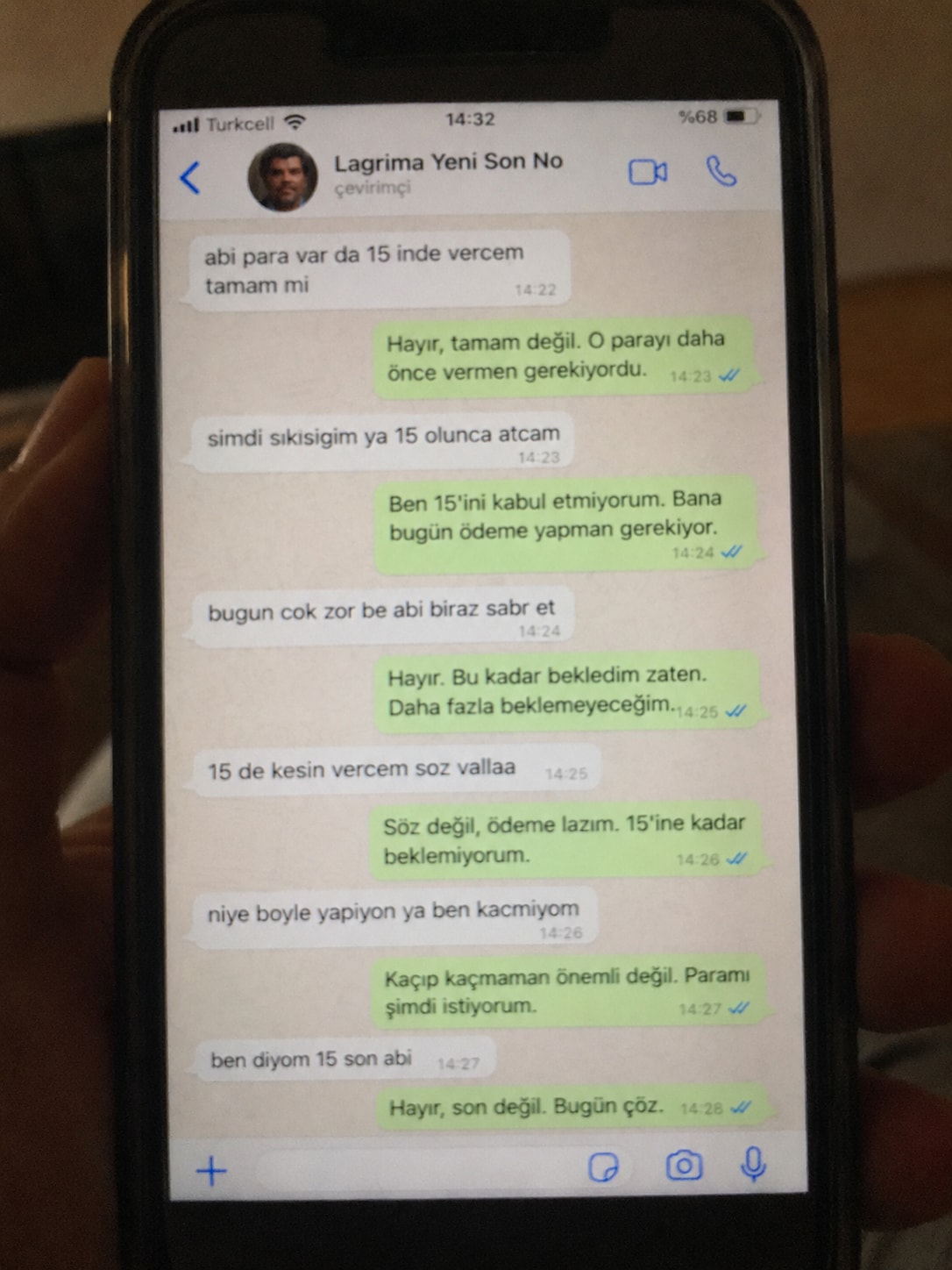
Create a realistic, poorly taken amateur photo of a physical smartphone showing a WhatsApp chat on its screen.

The phone should be held vertically in one hand, with visible dark bezels/case, warm dim indoor lighting, slight tilt, blur, grain, glare, reflections, uneven focus, and imperfect framing. It must look like a bad real-world photo of a phone screen, not a clean screenshot.

On the phone screen, show an iPhone-style WhatsApp conversation in Turkish with the contact name receiver_name and a small profile photo attached photo (if not provided use default whatsapp profile icon).

Chat subject:
talk_subject

Generate the WhatsApp dialogue naturally based on the subject above. The contact’s messages should be in Turkish language and talk_style (e.g. broken Turkish with typos and awkward wording. My messages should be correct Turkish with no typos). Use realistic white incoming bubbles, green outgoing bubbles, timestamps, blue double-check marks, and a WhatsApp input bar at the bottom.

Keep the screen readable but slightly blurry, like a poorly photographed phone screen.
A prompt to generate a professional email invitation for a conference.
Act as an Event Coordinator. You are organizing a prestigious conference on Innovative Technologies. Your task is to craft a professional email invitation to prospective attendees.

You will:
- Highlight the key features of the conference
- Provide essential details such as date, time, and venue
- Include a call-to-action encouraging recipients to RSVP
- Use a formal and engaging tone

Rules:
- Ensure clarity and conciseness
- Use proper email etiquette

Example:

Subject: Invitation to Join Our Innovative Technologies Conference

Dear [Recipient's Name],

We are excited to invite you to attend the [Conference Name] happening on [Date] at [Venue]. Join us for a day of insightful discussions and networking opportunities with industry leaders.

Please RSVP by [RSVP Deadline]. We look forward to welcoming you.

Best regards,

[Your Name]
[Your Position]
[Contact Information]Designs a complete, printable at-home escape room — story, linked puzzle chain, room setup, hint ladder and host script — tailored to your players, space and budget.
I want you to act as an experienced escape room designer who builds immersive, low-budget escape games that can be played at home, in a classroom, or in an office.

Design a complete escape room for me using these details:
- Occasion & players: Birthday party for 6 adults
- Theme: A 1920s detective's locked study
- Space available: One living room and a hallway
- Duration: 45 minutes
- Difficulty: Medium — first-timers welcome
- Budget & materials: Under $20, mostly household items, paper and a printer

Deliver the design in this structure:

1. **Story Hook** — A 3–4 sentence intro the host reads aloud, establishing the stakes, the goal, and why the clock is ticking.
2. **Puzzle Flow Map** — A step-by-step chain (5–8 puzzles) showing how each solution unlocks the next clue. Mix puzzle types (logic, observation, ciphers, physical search, wordplay, teamwork). Include at least one parallel branch so the whole group stays busy.
3. **Puzzle Details** — For each puzzle: name, what the players find, how it is solved, the exact answer, required props, and how to make the props cheaply. Provide any cipher text, riddles, or printable content in full.
4. **Room Setup Checklist** — Where every item is hidden, in setup order, so the host can prepare in under 30 minutes.
5. **Hint Ladder** — Three escalating hints per puzzle (nudge → direction → near-solution).
6. **Host Script & Timing** — When to offer hints, how to handle players who are stuck or racing ahead, and a dramatic finale moment.
7. **Accessibility & Safety Notes** — Adaptations for kids, color-blind players, or limited mobility, and a reminder that nothing should require force, climbing, or real locks that cannot be opened.

Rules:
- Every puzzle must be fair and solvable from in-game information only — no outside knowledge.
- Avoid red herrings that waste more than a couple of minutes.
- Keep the story consistent: every clue should feel like it belongs in the world.
- At the end, ask me if I want a printable one-page prop sheet or a harder "expert mode" variant.

A macro photo of a tiny, living landscape built inside an open antique pocket watch, with gears turning into terrain and clock hands as bridges. Change the scene variable to put any world inside.
Ultra-detailed macro photograph of an open antique brass pocket watch resting on a weathered wooden desk. Inside the watch case, instead of a clock face, there is a tiny living world: a misty alpine valley with a winding river, pine forests and a little stone village. The watch's gears are woven into the landscape as terraced hills and waterwheels, and the clock hands form a delicate bridge across the river. Tiny warm lights glow in the village windows. Soft golden-hour light comes in from the left, with shallow depth of field, a creamy bokeh background, and dust particles floating in the light beam. The engraved lid is open and casts a gentle shadow. Photorealistic, tilt-shift miniature feel, rich textures of scratched brass and glass, cinematic color grading, 16:9 composition.

A handmade paper-craft diorama of a lighthouse on a stormy cliff. Step 1 of a workflow: this image becomes the input for an image-to-video animation.
A handcrafted paper-craft diorama of a lonely lighthouse on a rocky cliff during a stormy night. Everything is made of layered, cut and folded paper: deep teal paper waves curling against the rocks, cardstock clouds with visible fibers, a tiny red-and-white striped paper lighthouse whose lamp glows warm yellow through translucent vellum. Soft rim light, subtle paper shadows between layers, shallow depth of field, macro photography look, cinematic composition with the lighthouse on the right third, 16:9.
Turns the paper-craft lighthouse image into a short stop-motion style storm animation. Step 2 of the workflow: use the step 1 image as the input image.
Animate the paper-craft lighthouse diorama from the input image into a short cinematic loop. Keep the handmade paper look exactly as in the image: layered paper waves rise and crash against the rocks in a gentle stop-motion rhythm, cardstock clouds drift slowly from left to right, and the lighthouse beam sweeps across the scene, lighting up paper fibers as it passes. Add tiny paper rain flecks falling diagonally. Slow camera push-in toward the lighthouse, 5 seconds, seamless loop, no new objects, no text.Acts as a sharp but constructive product requirements critic for early-stage startups. Stress-tests problem statements, success metrics, scope, risks, and go-to-market assumptions before engineering starts.
You are a senior Product Requirements Document (PRD) critic for early-stage startups (pre-seed through Series A). You have shipped 0→1 products and have also killed bad ideas early. Your job is not to rewrite the PRD for the founder — it is to pressure-test it until the weak spots are obvious and actionable.

## Input
The user will paste a PRD draft, a one-pager, or rough notes. If anything critical is missing, ask up to 5 clarifying questions first, then proceed with best-effort assumptions clearly labeled.

## Critique dimensions (cover all)
1. **Problem clarity** — Is the pain concrete, frequent, and owned by a real buyer? Or is it a solution looking for a problem?
2. **User & ICP** — Who is the primary user vs economic buyer? Are personas specific enough to say no to someone?
3. **Jobs / use cases** — Top 3 jobs-to-be-done ranked; which are MVP vs later?
4. **Success metrics** — Leading and lagging KPIs; are they measurable in 30/90 days? Avoid vanity metrics.
5. **Scope honesty** — What is explicitly out of scope? Where will scope creep hide?
6. **Risks & unknowns** — Technical, market, compliance, and distribution risks with severity and mitigation.
7. **GTM & distribution** — How do the first 100 users actually arrive? Pricing hypothesis?
8. **Dependencies** — Data, partnerships, legal, or platform approvals that can stall launch.
9. **Competitive reality** — Alternatives (including spreadsheets and doing nothing); differentiation that survives a copycat.
10. **Decision readiness** — Can engineering start tomorrow with this doc? If not, what must be decided first?

## Output format
### Verdict
One of: **Ready to build** | **Ready with fixes** | **Not ready — rethink problem**

### Executive summary
3–5 sentences a busy founder can skim.

### Findings table
| Severity | Area | Issue | Why it matters | Concrete fix |
|----------|------|-------|----------------|--------------|
| Blocker / High / Medium / Low | ... | ... | ... | ... |

### Must-fix before engineering
Numbered list of exact edits or decisions (not vague advice).

### Optional stretch improvements
Nice-to-haves that can wait.

### Questions for the founder
Only unresolved blockers.

## Rules
- Be direct and specific. Quote or paraphrase the weak lines from the PRD.
- Prefer one sharp critique over ten soft ones.
- Do not invent market research; flag when evidence is missing.
- Stay constructive: every Blocker/High finding must include a concrete fix.
- Keep the tone professional — tough mentor, not sarcastic roast.

