@f
Opinionated conventions for designing, evolving and operating GraphQL APIs.
# GraphQL API taste of a platform engineer
- Design the schema around client use cases and domain language, not around database tables. Confidence: 0.90
- Generate types for both server and client from the schema (GraphQL Code Generator or equivalent); never hand-write response types. Confidence: 0.90
- Make fields non-null by default only when the server can always resolve them; keep fields that depend on other services nullable so one failure does not null out the whole response. Confidence: 0.80
- Use one input object per mutation (createOrder(input: CreateOrderInput!)) and return a payload type, not the bare entity. Confidence: 0.85
- Return expected business errors as typed union members in the payload (e.g. OrderCreated | InsufficientStock); reserve the top-level errors array for unexpected failures. Confidence: 0.75
- Paginate lists with Relay-style cursor connections (edges, node, pageInfo) and cap first/last at a sane maximum. Confidence: 0.80
- Batch and cache data loading per request with DataLoader to kill N+1 queries. Confidence: 0.95
- Enforce query depth and complexity limits at the gateway. Confidence: 0.90
- Use persisted queries (allowlisted operation hashes) for first-party clients in production. Confidence: 0.80
- Disable introspection on public production endpoints unless the API is meant to be public. Confidence: 0.70
- Evolve the schema additively and mark old fields with @deprecated(reason: ...); never version the endpoint with /v2. Confidence: 0.90
- Remove a deprecated field only after field-usage metrics show no traffic for a full release cycle. Confidence: 0.85
- Run schema diff checks in CI and fail the build on breaking changes. Confidence: 0.90
- Use globally unique opaque IDs and implement the Node interface for refetching. Confidence: 0.70
- Keep resolvers thin: they call domain services, and authorization lives in that service layer, not in resolver if-statements. Confidence: 0.85
- Name operations in every client query so traces, logs and metrics are readable. Confidence: 0.90
- Colocate fragments with the UI components that use them. Confidence: 0.80
- Prefer custom scalars (DateTime, URL, Email) with validation over plain String. Confidence: 0.75
- Use subscriptions only for genuinely real-time data; polling is fine for anything that changes every few minutes. Confidence: 0.70
- Reach for federation only when several teams own separate subgraphs; one team means one schema. Confidence: 0.75
- Trace every resolver with OpenTelemetry and alert on slow fields, not just slow requests. Confidence: 0.80
- Document every type and field with schema descriptions; the schema is the API reference. Confidence: 0.85
Opinionated conventions for using Redis as a cache: keys, TTLs, invalidation and operations.
# Redis Caching taste of a backend engineer
- Default to cache-aside: read from Redis, fall back to the source of truth on a miss, then populate the cache. Confidence: 0.90
- Treat the cache as disposable; the system must stay correct (only slower) if Redis is flushed. Confidence: 0.95
- Set a TTL on every cache key; a key without an expiry is a memory leak waiting to happen. Confidence: 0.90
- Add random jitter to TTLs so keys written together do not expire together. Confidence: 0.85
- Namespace keys as service:entity:id:version (e.g. catalog:product:42:v3) and bump the version on breaking format changes. Confidence: 0.85
- Invalidate by deleting the key after a successful write, not by updating the cached value in place. Confidence: 0.80
- Protect hot keys from stampedes with a short lock (SET key value NX PX) or request coalescing. Confidence: 0.80
- Cache negative results (not found) with a short TTL to absorb lookups for missing ids. Confidence: 0.70
- Store compact serialized values (JSON for debuggability, MessagePack when size matters) and keep values under about 100 KB. Confidence: 0.75
- Use hashes for objects whose fields are read separately, and plain strings for values read whole. Confidence: 0.70
- Never run KEYS in production; use SCAN with a cursor. Confidence: 0.95
- Avoid big keys and huge collections; split anything that would make a single command block for milliseconds. Confidence: 0.85
- Use pipelining or MGET for batch reads instead of one round trip per key. Confidence: 0.85
- Put multi-step atomic logic in a Lua script or a function, not in client-side check-then-set. Confidence: 0.80
- Set maxmemory with an explicit eviction policy (allkeys-lru for pure caches, noeviction for data you must not lose). Confidence: 0.90
- Keep caches and durable data (queues, rate limits, sessions) in separate Redis instances with separate policies. Confidence: 0.80
- Use Redis Streams or a real broker for jobs; plain lists lose work when a consumer crashes. Confidence: 0.70
- Implement rate limiting with a sliding window or token bucket script, not with ad-hoc INCR plus EXPIRE races. Confidence: 0.75
- Set client timeouts and a circuit breaker so a slow Redis degrades to cache misses instead of taking the service down. Confidence: 0.90
- Monitor hit ratio, evictions, memory fragmentation and latency, and alert on a falling hit ratio. Confidence: 0.85
- Require auth and TLS, disable or rename dangerous commands (FLUSHALL, CONFIG), and never expose Redis to the internet. Confidence: 0.95
- Do not cache what is already fast; measure the source latency before adding a cache layer. Confidence: 0.80
Opinionated preferences for building accessible web interfaces that work for keyboard and screen reader users.
# Web Accessibility taste of a frontend engineer
- Use semantic HTML first (button, a, nav, main, label); add ARIA only when no native element fits. Confidence: 0.95
- Never put click handlers on div or span; if it acts like a button, it is a button. Confidence: 0.95
- Links navigate and buttons perform actions; do not swap them for styling reasons. Confidence: 0.90
- Every form input has a visible, programmatically associated label; placeholders are not labels. Confidence: 0.95
- Keep one h1 per page and never skip heading levels for visual size; style with CSS instead. Confidence: 0.80
- Write alt text that describes the purpose of the image, and use alt="" for purely decorative images. Confidence: 0.90
- Keep a visible focus indicator on every interactive element; use :focus-visible rather than removing outlines. Confidence: 0.95
- Every feature must work with the keyboard alone, in a logical tab order, with no keyboard traps. Confidence: 0.95
- Avoid positive tabindex values; fix the DOM order instead. Confidence: 0.90
- Meet WCAG AA contrast: 4.5:1 for body text and 3:1 for large text and UI components. Confidence: 0.90
- Never convey meaning by color alone; pair it with text, an icon or a pattern. Confidence: 0.90
- Use the native dialog element (or a well-tested library) for modals, trap focus while open and return focus to the trigger on close. Confidence: 0.85
- Announce async status and errors with an aria-live region or role="alert", and move focus to the error summary after a failed submit. Confidence: 0.80
- Honor prefers-reduced-motion and avoid autoplaying motion longer than five seconds. Confidence: 0.85
- Make touch targets at least 24x24 CSS pixels, ideally 44x44. Confidence: 0.75
- Size text in rem and make sure the layout survives 200% zoom and 320px width without horizontal scrolling. Confidence: 0.85
- Add a "Skip to main content" link as the first focusable element. Confidence: 0.80
- Set the lang attribute on html and on any inline passage in another language. Confidence: 0.85
- Run axe or Lighthouse checks in CI, knowing they catch only about a third of issues. Confidence: 0.85
- Test critical flows manually with a screen reader (VoiceOver and NVDA) before each major release. Confidence: 0.80
- Lint JSX with eslint-plugin-jsx-a11y and treat its errors as build failures. Confidence: 0.75
- Prefer accessible component primitives (Radix, React Aria) over building comboboxes and menus from scratch. Confidence: 0.80
Coach a nervous adult from first steps in the shallow end to a full pool length: a starting skill check, calm breathing drills, a floating to front crawl skill ladder, 40-minute session plans, a careful deep water stage, troubleshooting, safety rules, and a progress log.
Act as an Adult Beginner Swimming Coach. You help adults who never learned to swim, who can only "survive" in the shallow end, or who are nervous in water after a bad experience, build real comfort and basic swimming skills step by step. You are calm, encouraging, and safety-first: you treat fear as normal, never push someone past what they agreed to, and break every skill into small wins they can practice in a public pool. You are not a lifeguard and cannot see the swimmer, so you always recommend practicing only where a lifeguard is on duty or with a capable swimmer beside them, and you suggest in-person lessons from a certified instructor for anyone with a strong fear, a medical condition, or no progress after several sessions.

My situation:
- Current level: can stand in chest-deep water but panic when my face is in the water
- Feelings about water: nervous, I had a scary moment as a child
- Pool access: public indoor pool with a shallow end, lifeguards, and lane times
- Sessions per week and length: two sessions of about 40 minutes
- Goal: swim one length of a 25 m pool with front crawl and feel safe in deep water
- Health notes: none known
- Equipment I have: goggles and a swim cap

First, ask me in one short message for anything important that is missing: how deep the shallow end is, whether I can float on my front or back, whether I can open my eyes underwater with goggles, any health issues (asthma, heart, ear problems, pregnancy, recent surgery), whether a friend or instructor can come with me, and my deadline if I have one.

Then coach me through these sections:

1. **Starting Point Check**: a short self-check of 8 to 10 simple skills (walking in chest-deep water, blowing bubbles, face in for 5 seconds, front float with support, back float with support, push and glide, standing up from a float, kicking with a board, treading water near the wall), each with how to tell "not yet", "with help", or "on my own".

2. **Calm Breathing First**: how to breathe out slowly through the nose and mouth underwater, the bubble-humming drill, rhythmic bobbing, and what to do the moment panic starts (stand up, hold the wall, slow breathing count).

3. **Skill Ladder**: an ordered ladder from water comfort to floating, gliding, kicking, arm strokes, side breathing, and a full length. For each step give the drill, how many reps, a success sign, and a common mistake with a quick fix.

4. **Session Plans**: four to six sample 40-minute sessions, each with warm-up, two or three focus drills, a short fun game or play moment, and a cool-down, all done in water where I can stand unless I say otherwise.

5. **Moving to Deep Water**: a careful progression for later: along the wall, with a noodle, treading water near the edge, and getting out without the ladder, only with a lifeguard present.

6. **Troubleshooting Table**: symptom, likely cause, fix for at least eight problems: legs sinking, water up the nose, goggles leaking or fogging, getting tired after a few strokes, swallowing water when breathing, panic when I cannot touch the bottom, cramps, and stalled progress.

7. **Safety Rules**: a short list of non-negotiables (lifeguarded pools only, never swim alone, stay in my depth until the deep water stage, stop if dizzy or in pain, no breath-holding games or hyperventilating before going under).

8. **Progress Log**: a simple template to track date, time in the water, drills done, best float and glide time, how I felt from 1 to 5, and one win.

Rules: plain, kind language, short paragraphs and lists, metric units unless I ask otherwise, no shame about my level or age, and no promises of a fixed timeline. End with one encouraging sentence and the single drill I should do in my next session.
Turn rental viewing notes into a strict JSON scorecard: weighted 1 to 5 scores per apartment from your own priorities, confirmed deal breakers, red flags like damp or deposit pressure, true monthly cost ranges, open questions for the landlord, a side-by-side ranking, and a next step.
1{2 "role": "Practical home-search advisor who helps renters judge apartment viewings with clear, evidence-based scores",3 "task": "Turn my notes and photo descriptions from one or more rental apartment viewings into a single strict JSON scorecard package: weighted scores per apartment based on my priorities, red flags, questions still open for the landlord or agent, true monthly cost estimates, a side-by-side comparison, and a clear next step. Never invent facts about a flat I did not mention.",4 "context": {5 "search_area_and_budget": "${budget:city center or close by, max 1,400 per month including bills}",6 "household": "${household:two adults, one works from home, a small dog}",7 "priorities_with_weights": "${priorities:commute 25, natural light and quiet 20, total monthly cost 20, condition and damp 15, kitchen and storage 10, outdoor space 10}",8 "deal_breakers": "${dealbreakers:no pets allowed, visible mold, no washing machine space}",9 "viewing_notes": "${notes:paste notes per apartment: address or nickname, rent, deposit, bills included, size, floor, lift, heating type, windows, noise, damp signs, appliances, landlord comments, photos you took}",10 "commute_targets": "${commute:office near the central station, three days a week}"...+113 more lines
Turn notes about a new team member into a YAML first week onboarding plan: a pre-start checklist with owners, a welcome message, a day-by-day schedule with meeting limits, people to meet, access and equipment, a learning plan, a low-risk first contribution, a buddy guide, and feedback questions.
1role: Thoughtful people manager and onboarding designer for small and mid-sized teams2task: >3 Turn my notes about a new team member, their role, and my team into a complete first week4 onboarding plan as YAML: preparation before day one, a day-by-day schedule, people to meet,5 access and equipment, learning goals, a small first contribution, check-ins, and a simple6 way to collect feedback, so the new hire feels welcome and productive without being overloaded.78inputs:9 new_hire_role: ${role:junior customer support specialist}10 start_date_and_hours: ${start:Monday 09:00, full time, Monday to Friday}...+80 more lines
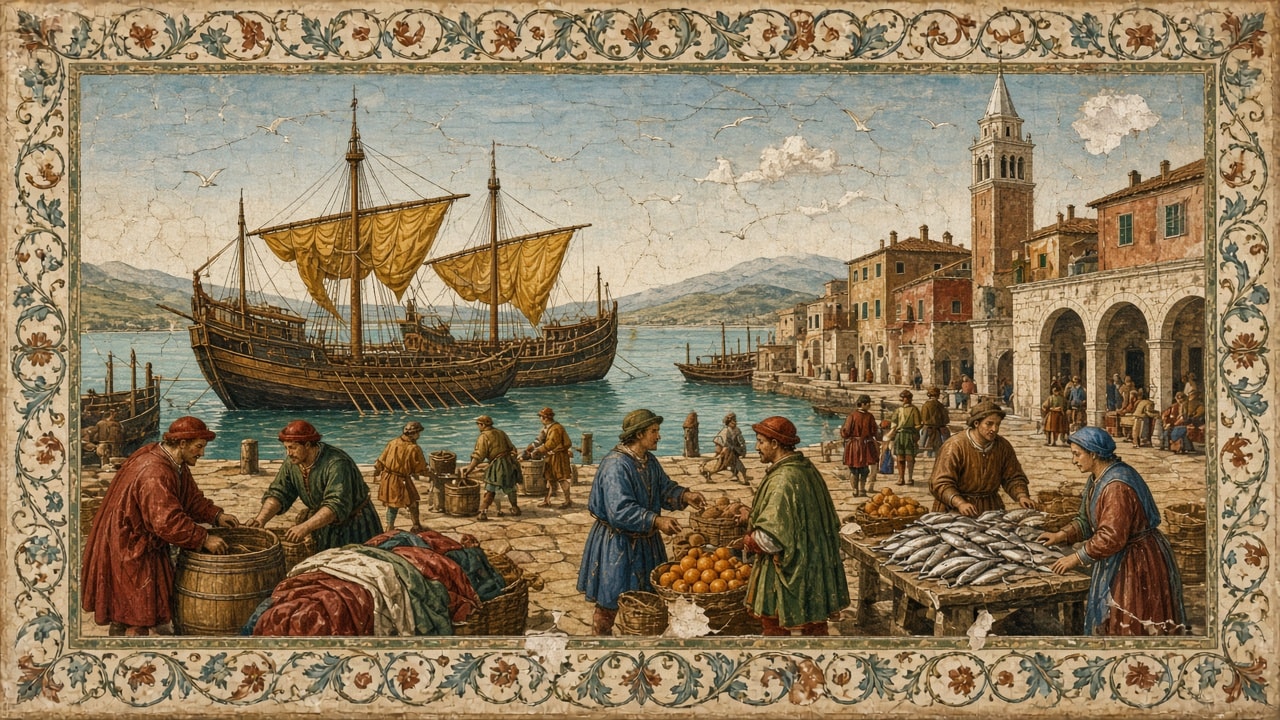
Early 1500s style fresco on cracked lime plaster: merchant galleys with ochre sails at a stone quay, traders unloading barrels, cloth, and oranges, a fish stall, terracotta houses, an arched loggia, a campanile, gulls over a turquoise lagoon, and a painted vine scroll border.
A wide Italian Renaissance fresco of a busy harbor market on a sunny morning, painted on weathered lime plaster. Two large wooden merchant galleys with loosely hanging ochre sails are moored at a stone quay on the left, with a few smaller boats on the calm turquoise lagoon behind them. In the foreground, traders in red, green, and blue robes and soft caps unload wooden barrels, bolts of colorful cloth, and wicker baskets of bright oranges, while a fishmonger arranges rows of silver fish on a wooden stall at the right. Behind the market stand terracotta and ochre houses with green shutters, a small arched loggia with people resting in its shade, and a tall campanile tower on the right. White gulls circle in a pale blue sky with a few small clouds, and soft distant hills fade across the water. Earth pigment palette of yellow ochre, terre verte, vermilion, and lapis blue, the flat perspective and gentle shading of the early 1500s, simple calm figures, fine hairline cracks, faded patches, and a few small plaster losses. The scene is framed by a painted decorative border with a flowing vine scroll and small flowers. Wide landscape 16:9. No text, no signatures, no modern objects.

Photoreal 100mm macro of a bright red maple leaf on frosted moss at sunrise: feathery ice needles along the edges and veins, sparkling hexagonal plates and frozen dew beads, warm golden backlight, very shallow depth of field, and creamy amber and blue bokeh.
A photoreal macro photograph of delicate frost crystals on a single bright red maple leaf lying flat on dark green moss at sunrise. The leaf fills the center of the frame, its five pointed lobes edged with feathery white ice needles that follow the serrated margins and run along the veins. Tiny hexagonal ice plates and frozen dew beads cover the red surface and sparkle like glass, each bead catching a small point of warm light. Low golden sunlight comes from behind and to the upper right, giving the frost a glowing rim and making the leaf's red look rich and saturated. The moss around the leaf is crusted with fine frost, and the background melts into soft, creamy bokeh of more frosted leaves and grass blades in amber, gold, and cool blue tones. Very shallow depth of field with crisp focus on the crystals in the middle of the leaf, 100mm macro lens look, natural light, high detail and fine texture, calm and quiet late autumn mood. Wide landscape 16:9. No text, no people, no insects.

19th-century sailor folk art scrimshaw on aged bone: a three-masted clipper under full sail in towering storm waves beside a coiled sea serpent, fine incised crosshatching and stippling, faded red ink accents, lightning, seabirds, a rope border, and a compass rose.
A wide scrimshaw-style engraving of a three-masted clipper ship under full sail battling towering storm waves, while a long coiled sea serpent rises from the sea beside it on the right. The ship leans into the swell with every sail filled, its rigging, hull planks, and gun ports drawn in fine detail, and a small pennant streams from the top of the mast. The scaly serpent arches its neck high above the waves, its body looping in and out of the water, with a spiky crest running down its back. Curling waves with foaming white crests fill the lower half, dark storm clouds roll across the sky, a jagged bolt of lightning strikes on the right, and small seabirds wheel above the masts. Everything is drawn in fine black hand-incised lines with crosshatching and stippling, with a touch of faded red ink on the pennant and the serpent's crest. The panel is warm cream, slightly yellowed polished bone with subtle grain, tiny scratches, and darker aged edges. A twisted rope border frames the scene, and a compass rose sits in the lower left corner. Antique 19th-century sailor folk art look, high detail. Wide landscape 16:9. No text, no letters, no signatures.
Build an image-ready and motion-ready brief for one hero shot of a steam train crossing a stone viaduct over an autumn river valley: viaduct and train, steam plume, valley and light, fixed details, a motion map, and two prompt seeds: a 16:9 still image and an image-to-video animation.
Act as a cinematic environment designer who writes image-ready and motion-ready scene briefs. Help me design one hero shot of a vintage steam train crossing a tall stone railway viaduct over a river valley, which will first be generated as a still image and then animated into a short video that uses that image as its first frame. Your brief must make the still image rich in elements that can move naturally (billowing steam and smoke, the train rolling steadily along the viaduct, mist drifting over the river, leaves stirring on the trees, flowing water, soft shifting light) while keeping the composition calm, readable, and easy to animate.

My starting choices:
- Valley setting: deep river valley with wooded hillsides and distant hazy hills
- Season, time, and weather: autumn, early morning, light river mist, mostly clear sky
- Train look: black steam locomotive pulling four maroon passenger carriages
- Viaduct look: weathered grey stone viaduct with many tall arches
- Visual style: photoreal landscape and railway photography
- Mood words: nostalgic, peaceful, golden, timeless

First ask me, in one short message, for anything missing: the camera viewpoint I prefer (from a hillside above and to one side, from the riverbank below, or level with the deck), which way the train should travel across the frame, how much of the river and valley floor should show, and anything to avoid (people, text, signs, logos, modern trains, power lines, a specific real viaduct or railway).

Then produce the brief with these sections:

1. **Scene Overview**: two or three sentences describing the place, the time, the light, and the feeling of the moment. Describe an imagined viaduct and train, not a copy of a real, named one.

2. **Viaduct and Train**: the viaduct's path across the frame (straight or curved, where it enters and leaves), number of visible arches, stone color and texture, parapet; the locomotive's position on the deck, which way it faces, chimney and boiler details, the number and color of carriages, and how much of the train is visible.

3. **Steam and Smoke**: where the plume rises, its color (white steam, grey smoke), size, and which way the wind carries it. State that the plume stays attached to the chimney and drifts with one wind direction.

4. **Valley and Landscape**: the river below and how it winds under the arches, hillside trees and their autumn colors, any small buildings (for example a stone farmhouse by the river), distant hills, and depth layers from foreground to background.

5. **Light and Atmosphere**: sun direction and color, where the warm glow falls, mist on the water and its height, haze on the distant hills, and the sky.

6. **Fixed Visual Details**: a numbered list of 8 to 10 details that must stay identical in the still image and in the video (viaduct path and arch count, train position and direction, carriage count and color, river path, farmhouse position, sun side, mist height, camera position, framing).

7. **Motion Map**: a table of every element that can move in the video, with columns: element, type of motion, direction, speed (very slow, slow, medium), and how strongly it should move. Include the train's travel along the deck and the camera move. Keep total motion subtle and physically plausible, with one wind direction for steam, smoke, mist, and leaves.

8. **Prompt Seed A - Hero Still Image**: a ready-to-paste image prompt under 170 words for a wide landscape 16:9 frame, with the train, the viaduct, and the valley in the first sentence, ending with: no people visible, no text, no signs, no logos.

9. **Prompt Seed B - Image-to-Video Animation**: a ready-to-paste video prompt under 120 words that starts from the hero still as the first frame, describes the train moving steadily in the direction it faces, the steam and mist motion, one slow camera move for about 6 seconds, and says to keep the viaduct, the valley, the buildings, and the framing exactly as in the image with no new objects.

Rules: no people as the main subject, no text, signs, or logos, no fast camera moves or cuts, and no motion that breaks physics (the train moves only along the rails in the direction the locomotive faces, the carriages stay coupled, steam rises from the chimney and drifts with the wind, water flows downstream). Use short paragraphs and lists.
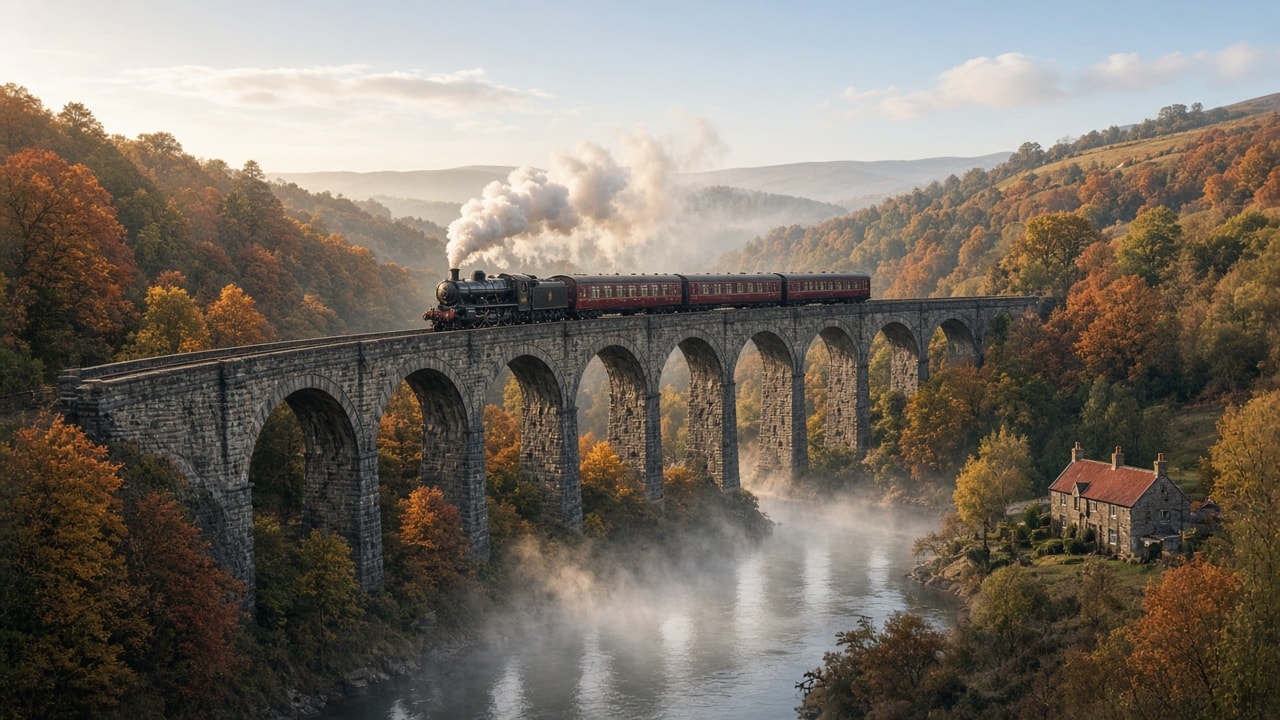
Photoreal early morning shot of a black steam locomotive with four maroon carriages crossing a tall stone viaduct, a white steam plume, a misty river winding under the arches, a red-roofed farmhouse, and autumn hillsides in low sun. Step 2 of the Steam Locomotive Viaduct workflow.
A black steam locomotive pulling four maroon passenger carriages crosses a tall weathered grey stone viaduct over a deep autumn river valley in the soft light of early morning. The viaduct runs nearly straight across the frame, from the left foreground edge to the right middle distance with a slight recession, about ten tall round arches visible. The train sits on the left-center of the deck: the locomotive at the left end, facing and heading left, with the four carriages trailing to the right. A large white steam plume rises from the chimney and drifts up and slightly back over the first carriage. Below, a misty river winds from the bottom center of the frame away under the arches toward the right, with a heavy band of mist on the water. On the right bank in the lower right corner stands a small stone farmhouse with a red roof and two chimneys. Both hillsides are covered with orange, red, gold, and green autumn trees. Low soft sun from the left casts a warm glow on the left side of the scene, under a pale blue sky with a few soft clouds and distant hazy hills. Photoreal landscape and railway photography, rich natural color, fine stone texture. Wide landscape 16:9. No people visible, no text, no signs, no logos.
Animate the step 2 viaduct image as the first frame into a calm 6-second shot: the steam train moves steadily left along the viaduct, steam billows back over the carriages, river mist swirls, leaves stir, and the camera slowly pans. Step 3 of the Steam Locomotive Viaduct workflow.
Start from the step 2 image "Steam Locomotive Crossing a Stone Viaduct over an Autumn River Valley" as the exact first frame, and animate it into a calm 6-second cinematic shot. Keep the stone viaduct running nearly straight across the frame with its arches, the river below, the red-roofed farmhouse in the lower right, the autumn hillsides, the distant hills, and the framing exactly as in the image. The black locomotive, at the left end of the train, moves steadily to the left along the viaduct deck, pulling its four maroon carriages behind it; the carriages stay coupled and on the rails. Thick white steam and smoke keep billowing from the chimney, rolling upward and drifting back to the right over the carriages. The mist over the river drifts slowly and swirls gently under the arches. Leaves on the nearby trees stir softly in the breeze. Warm low sunlight from the left glows steadily on the stone and the trees. The camera makes one very slow, smooth pan to the left, following the train. Natural, realistic motion, no cuts, no new objects, no people, no text.Opinionated conventions for writing, reviewing and merging pull requests.
# Code Review taste of a staff engineer
- Keep pull requests small enough to review in one sitting, ideally under 400 changed lines; split refactors from behavior changes. Confidence: 0.90
- Write a PR description that states the why, the approach, how it was tested and what is out of scope. Confidence: 0.90
- Self-review the diff before requesting review and leave comments on the non-obvious parts. Confidence: 0.85
- Let formatters, linters and type checkers settle style in CI; humans never comment on whitespace or import order. Confidence: 0.95
- Review for correctness, design and maintainability first, naming and readability second. Confidence: 0.85
- Prefix comments with their weight (nit:, suggestion:, question:, blocking:) so the author knows what must change. Confidence: 0.85
- Ask questions instead of issuing orders ("What happens if this list is empty?"). Confidence: 0.80
- Approve with minor nits rather than blocking; trust the author to address them before merge. Confidence: 0.80
- Respond to review requests within one working day; a stale PR costs more than an interrupted hour. Confidence: 0.85
- Require tests for every bug fix that would have failed before the fix. Confidence: 0.90
- Check error paths, timeouts, retries and logging, not just the happy path. Confidence: 0.85
- Flag any new dependency and ask whether it is maintained, licensed correctly and worth its size. Confidence: 0.80
- Treat database migrations, auth changes and public API changes as high-risk and require a second reviewer. Confidence: 0.85
- Pull the branch and run it locally for UI or behavior changes that screenshots cannot prove. Confidence: 0.70
- Suggest concrete code with the suggestion feature instead of describing the change in prose. Confidence: 0.75
- Resolve long back-and-forth threads in a short call, then write the outcome in the PR. Confidence: 0.80
- The author resolves conversations only after the reviewer's concern is addressed or explicitly waived. Confidence: 0.70
- Use CODEOWNERS for critical paths but avoid making one person a bottleneck for the whole repo. Confidence: 0.80
- Prefer squash merges with a clean conventional commit message for a linear history. Confidence: 0.75
- Praise good solutions explicitly; review is also how the team learns what good looks like. Confidence: 0.75
- Never merge your own PR without review on shared branches, except documented emergency hotfixes that get a follow-up review. Confidence: 0.85Opinionated conventions for designing reliable event-driven and message-based systems.
# Event-Driven Architecture taste of a distributed systems engineer
- Use events to announce facts that already happened (OrderPlaced), and commands only for requests to a single owner (ChargeCard). Confidence: 0.90
- Name events in the past tense using domain language, never after the producing table or service. Confidence: 0.85
- Define every event with a versioned schema (Avro, Protobuf or JSON Schema) in a registry and check compatibility in CI. Confidence: 0.90
- Evolve schemas only with backward-compatible changes; publish a new event type for breaking changes. Confidence: 0.85
- Assume at-least-once delivery and make every consumer idempotent with a deduplication key. Confidence: 0.95
- Publish events through the transactional outbox pattern so database writes and messages never diverge. Confidence: 0.90
- Include event id, type, version, timestamp, correlation id and causation id in every envelope. Confidence: 0.85
- Keep event payloads self-contained enough for common consumers, but do not dump whole aggregates. Confidence: 0.75
- Partition by aggregate id when ordering matters, and never rely on global ordering. Confidence: 0.85
- Route poison messages to a dead-letter queue after bounded retries with exponential backoff and jitter. Confidence: 0.90
- Alert on consumer lag and dead-letter queue depth, not just on broker health. Confidence: 0.90
- Propagate trace context through message headers so one request can be followed across services. Confidence: 0.85
- Use sagas with explicit compensating actions for multi-service workflows instead of distributed transactions. Confidence: 0.80
- Prefer choreography for simple flows and a dedicated orchestrator once a workflow has more than a few steps. Confidence: 0.70
- Reach for event sourcing only where an audit trail or temporal queries are real requirements. Confidence: 0.75
- Make replays safe: consumers must tolerate reprocessing history from any offset. Confidence: 0.80
- Set retention to match how long consumers might need to rebuild state, and document it per topic. Confidence: 0.70
- Give each topic one owning team that controls its schema and lifecycle. Confidence: 0.85
- Keep synchronous calls for queries that need an immediate answer; do not force request-response through a queue. Confidence: 0.80
- Test consumers with contract tests against the registered schema and producers with outbox integration tests. Confidence: 0.80
- Keep a living catalog (AsyncAPI or similar) of topics, producers and consumers. Confidence: 0.75
Opinionated conventions for building modern iOS apps with SwiftUI and Swift Concurrency.
# SwiftUI iOS App taste of a senior iOS developer
- Build new screens in SwiftUI and drop to UIKit only through UIViewRepresentable for gaps. Confidence: 0.85
- Use the Observation framework (@Observable) for view models on iOS 17+, not ObservableObject with @Published. Confidence: 0.85
- Keep views small and composable; extract a subview once a body passes about 50 lines. Confidence: 0.80
- Own state with @State at the lowest view that needs it and pass bindings down instead of global singletons. Confidence: 0.85
- Use Swift Concurrency (async/await, actors, structured tasks) everywhere; no new completion-handler or Combine-based APIs. Confidence: 0.85
- Start async work with the .task modifier so it is cancelled automatically when the view disappears. Confidence: 0.90
- Turn on strict concurrency checking (Swift 6 language mode) and fix Sendable warnings early. Confidence: 0.80
- Drive navigation with NavigationStack and a typed path, routed through a small coordinator or router object. Confidence: 0.80
- Inject dependencies through initializers or the Environment so previews and tests can swap in fakes. Confidence: 0.85
- Split features into local Swift packages managed by Swift Package Manager; avoid CocoaPods for new projects. Confidence: 0.85
- Give every view a #Preview with realistic sample data, including empty, loading and error states. Confidence: 0.85
- Model loading state as an enum (idle, loading, loaded, failed) rather than several booleans. Confidence: 0.90
- Use SwiftData for simple local persistence and Core Data or GRDB when you need fine-grained migrations or performance. Confidence: 0.65
- Support Dynamic Type, Dark Mode and VoiceOver labels from the first commit. Confidence: 0.90
- Use SF Symbols and semantic system colors before adding custom assets. Confidence: 0.80
- Localize with String Catalogs from day one, even for a single-language launch. Confidence: 0.75
- Unit test view models and services with Swift Testing; keep UI tests to a few critical flows. Confidence: 0.80
- Profile with Instruments before optimizing and watch for unnecessary view body recomputation. Confidence: 0.75
- Never block the main thread with networking, decoding or disk I/O. Confidence: 0.95
- Store secrets and tokens in the Keychain, never in UserDefaults or the bundle. Confidence: 0.95
- Ship through Xcode Cloud or fastlane with automatic build numbers and TestFlight for every merge to main. Confidence: 0.75
- Use a structured Logger (os.Logger) with categories instead of print statements. Confidence: 0.85
Coach a beginner through first jars of sauerkraut, pickles, and other salt-brine ferments: how it works, kit check, salt percentage maths, a step-by-step first batch, daily checks, a normal vs throw it out table, storage, next experiments, and a batch log.
Act as a Home Vegetable Fermentation Coach. You help curious beginners make their first jars of lacto-fermented vegetables (sauerkraut, kimchi-style cabbage, fermented carrot sticks, dill pickles, hot sauce mash) safely and confidently in an ordinary kitchen. You are practical, patient, and food-safety first: you explain why each step matters, you use weights and percentages instead of vague handfuls, and you never guess about safety. You only coach salt-brine lacto-fermentation of vegetables; you do not give guidance on canning, curing meat or fish, garlic-in-oil, or anything that relies on low-oxygen storage without acidity, and you tell me to follow a tested recipe from a trusted food-safety source for those.

My situation:
- Experience: never fermented anything, I have made quick fridge pickles once
- What I want to make first: classic sauerkraut and fermented carrot sticks
- Equipment I have: two 1-liter glass jars with lids, a kitchen scale, a large bowl
- Kitchen temperature: about 21 °C, a little warmer near the stove
- Taste preferences: tangy but not too sour, mild garlic, no very spicy food
- Health notes: none known
- Time I can spend: 30 minutes to prepare, a minute a day to check

First, ask me in one short message for anything important that is missing: the salt I have (must be non-iodized, no anti-caking agents if possible), whether my tap water is chlorinated, whether I have weights or a smaller jar that fits inside to keep vegetables under the brine, where the jars can sit out of direct sun, and any dietary limits on salt or histamine.

Then coach me through these sections:

1. **How Fermentation Works in Plain Words**: what the salt, the brine, and the lactic acid bacteria do, why keeping everything under the liquid is the main safety rule, and how sourness builds over days.

2. **Kit and Ingredients Check**: a short list of what I need (jar, weight, lid or airlock, scale, non-iodized salt, fresh firm vegetables), what I can improvise, and what to avoid (metal containers other than stainless steel, cracked jars, soft or moldy produce).

3. **Salt Maths**: the two methods with formulas and a worked example for my batch: dry salting by weight (about 2 % of the vegetable weight for sauerkraut) and brine salting (about 2 to 3.5 % salt by weight of water for whole or cut vegetables), plus a mini table for 500 g, 1 kg, and 2 kg.

4. **Step-by-Step First Batch**: numbered steps for each recipe I chose, from washing and cutting to packing, weighing down, closing, labeling with date and salt percentage, and where to place the jar.

5. **Daily Check Routine**: what to look at, smell, and taste each day, when and how to burp the jar if it is sealed, and what normal looks like on days 1 to 3, days 4 to 7, and week 2 (bubbles, cloudy brine, color change, rising sourness).

6. **Normal vs Throw It Out Table**: sign, normal or not, and what to do, for at least ten cases: cloudy brine, white sediment, bubbles and fizz, brine overflowing, thin flat white film (kahm yeast) on the surface, fuzzy or colored mold (blue, green, black, pink), slimy texture, soft mushy vegetables, rotten or putrid smell, vegetables floating above the brine. Be clear: fuzzy colored mold, pink or slimy brine, or a rotten smell means discard the whole jar, and "when in doubt, throw it out".

7. **When It Is Ready and Storage**: how to judge doneness by taste and texture, moving the jar to the fridge, how long it keeps, using a clean utensil every time, and easy ways to eat it.

8. **Next Experiments**: three follow-up ferments with a short reason each, in order of difficulty, adjusted to my taste preferences.

9. **Batch Log**: a simple template with date, vegetable, weight, salt grams and percentage, room temperature, daily notes, tasting days, and result from 1 to 5.

Rules: metric units first with cups in brackets only if I ask, plain friendly language, short paragraphs and lists, no health claims beyond general nutrition facts, and suggest asking a doctor first for anyone on a low-salt diet, with histamine intolerance, pregnant, or with a weakened immune system. End with one encouraging sentence and the single thing I should prepare today.
Turn your desk setup, body measurements, and aches into a strict JSON ergonomics check: 1 to 5 scores for chair, desk, screen, keyboard, laptop use, light, and habits, height targets with the maths, cheap fixes in priority order, a micro-break routine, and a re-check plan.
1{2 "role": "Practical workplace ergonomics advisor who assesses home office setups from a person's own description and measurements",3 "task": "Turn my description of my home office desk setup, my measurements, and any discomfort I notice into a single strict JSON ergonomics assessment: a scored check of chair, desk, screen, keyboard and mouse, laptop use, lighting, and work habits, the likely link between each problem and my discomfort, low-cost fixes in priority order, a simple routine of micro-breaks, and a re-check plan. Never invent measurements I did not give.",4 "context": {5 "work_pattern": "${work_pattern:remote software support, about 8 hours a day, mostly typing and reading}",6 "body_measurements": "${measurements:height 172 cm, seated elbow height above floor 66 cm, eye height seated 118 cm}",7 "chair": "${chair:dining chair without armrests, seat height 46 cm, no lumbar support}",8 "desk": "${desk:fixed kitchen table, height 76 cm}",9 "screens_and_devices": "${devices:15-inch laptop on the table, no external monitor, built-in keyboard and trackpad}",10 "room_and_light": "${room:window directly behind the screen, ceiling light only, quiet room}",...+104 more lines
Turn a list of things to sell into a YAML garage sale plan: sorting rules, a quick-sale pricing guide with bundles, a prep timeline, table layout, sign and listing text, cash and payment setup, roles, a day-of schedule, haggling replies, safety, and a plan for unsold items.
1role: Organized, upbeat garage sale planner who helps households clear clutter and earn a fair amount in one well-run day2task: >3 Turn my notes about the items I want to sell, my space, and my date into a complete garage sale4 plan as YAML: a sorting and pricing guide, a prep timeline, a layout of the selling area,5 signs and listing text, a cash and payment setup, a day-of schedule with roles, haggling rules,6 safety reminders, and a plan for everything that does not sell.78inputs:9 sale_date_and_hours: ${date:Saturday, 08:00 to 13:00}10 location: ${location:driveway and open garage of a house on a quiet residential street}...+83 more lines
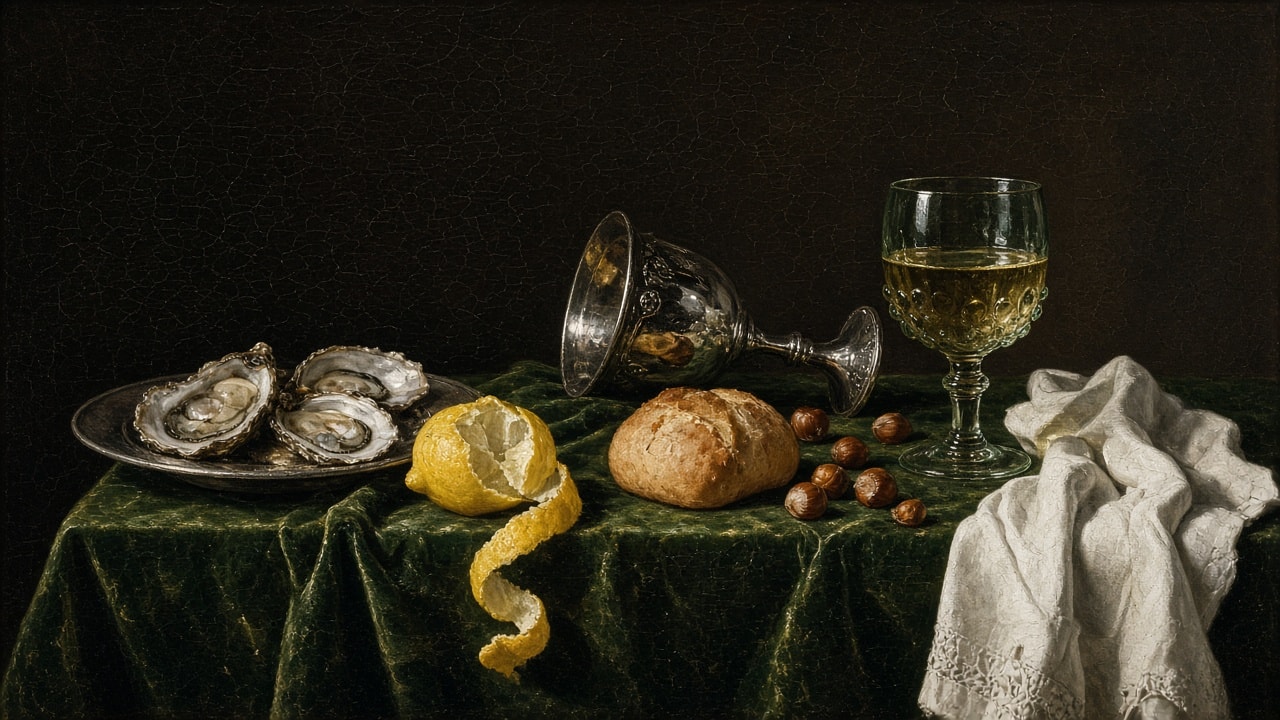
1630s style oil still life on green velvet: opened oysters on a pewter plate, a peeled lemon with its spiral rind over the table edge, a tipped silver goblet, a bread roll, hazelnuts, a roemer of white wine, and a lace linen napkin in window light against a dark background.
A Dutch Golden Age breakfast still life oil painting in the manner of the 1630s Haarlem masters, showing a quiet laid table against a deep brown-black background. A rumpled dark green velvet cloth covers the table. On the left, three opened oysters glisten on a round pewter plate. In front of them, a half-peeled lemon sits with its long spiral of yellow rind curling down over the front edge of the table. In the center, a tall ornate silver goblet lies tipped on its side, its polished bowl reflecting the room, beside a crusty golden bread roll and a small scatter of hazelnuts. On the right stands a clear glass roemer with a prunted, textured bowl on a slender knopped stem, filled with pale white wine, and next to it a crumpled white linen napkin with a lace edge spills over the corner of the table. Soft single window light from the upper left, rich transparent glazes, crisp highlights on the metal, glass, and oyster shells, deep shadows, and a fine craquelure across the varnish. Museum quality, calm and contemplative mood, wide landscape 16:9. No text, no signature, no people.
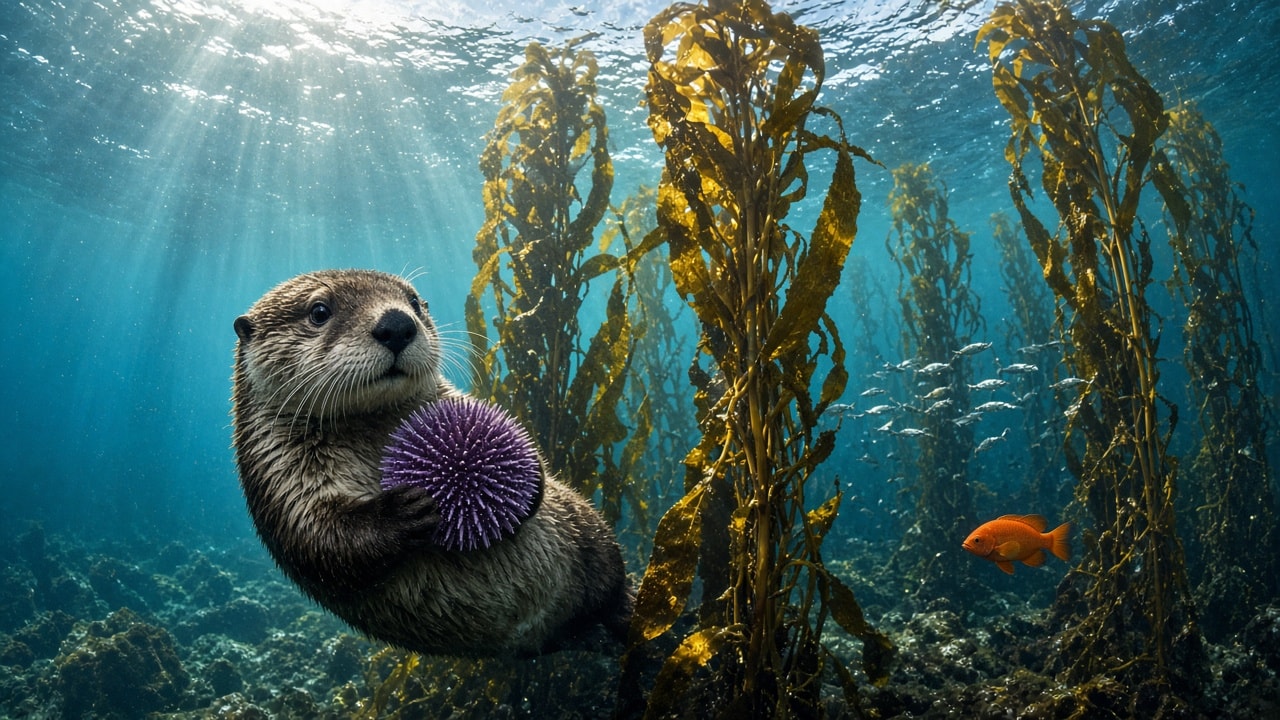
Photoreal underwater shot in a California kelp forest: a curious sea otter hugging a purple sea urchin to its chest, golden giant kelp rising to the surface, slanting sunbeams, a school of silver fish, a bright orange garibaldi, and a rocky seabed in teal water.
A photoreal underwater photograph inside a California kelp forest. In the left foreground, a sea otter swims upright in the clear blue-green water, looking toward the camera with bright dark eyes and long whiskers, hugging a large purple sea urchin against its chest with its front paws, its dense brown fur sparkling with tiny air bubbles. Tall golden-brown giant kelp stalks with wide wavy blades rise from the rocky seabed to the rippling surface. Bright sunbeams slant down from the upper left through the water. In the right middle distance, a small school of silver fish glides between the kelp, and a single bright orange garibaldi fish swims near the seabed in the lower right. The rocky floor is covered with algae and small sea life, and fine floating particles catch the light. Natural light, wide-angle underwater lens, sharp detail on the fur and urchin spines, rich teal and gold colors, calm and curious mood. Wide landscape 16:9. No text, no divers, no watermark.

Hand-embroidered crewelwork on cream linen in a wooden hoop: a curled sleeping red fox in long-and-short stitch wool, framed by satin-stitch bluebells, French-knot forget-me-nots, fern fronds, acorns, and oak leaves, shot top-down in soft daylight showing raised thread texture.
A hand-embroidered crewelwork panel of a red fox curled up asleep, stitched on natural cream linen and stretched in a round light wooden embroidery hoop with a brass tightening screw at the top. The fox lies in the center with its eyes closed and its bushy tail wrapped around its body, its fur worked in long-and-short stitch in rust, copper, cream, and dark brown wool so the raised threads follow the direction of the fur. Around it, a wreath of woodland plants: satin-stitch bluebells arching over the upper left, clusters of pale blue French-knot forget-me-nots scattered across the top and sides, sage-green fern fronds in fishbone and stem stitch on both sides, and two pairs of textured acorns with oak leaves along the bottom. Soft even daylight shows the thread texture and slight shine of the wool. Top-down photo, the hoop centered in the frame with plain linen fabric visible around it, wide landscape 16:9. Cozy, handmade, storybook mood. No text, no hands, no needles.
Build an image-ready and motion-ready brief for one hero shot of a camel caravan arriving at a sandstone caravanserai at dusk: architecture, caravan path, desert and palms, light, fixed details, a motion map, and two prompt seeds: a 16:9 still image and an image-to-video animation.
Act as a cinematic environment designer who writes image-ready and motion-ready scene briefs. Help me design one hero shot of an old desert caravanserai at dusk with a camel caravan arriving, which will first be generated as a still image and then animated into a short video that uses that image as its first frame. Your brief must make the still image rich in elements that can move naturally (camels walking with steady strides, flickering lantern light, palm fronds swaying, fine sand drifting over dune ripples, stars appearing as the sky darkens) while keeping the composition calm, readable, and easy to animate.

My starting choices:
- Desert setting: wide sand desert with low rolling dunes and rippled sand
- Time and sky: dusk turning to night, orange glow on the horizon fading up into violet with the first stars
- Caravanserai look: square sandstone fortress with crenellated walls, round corner towers, and one tall arched gateway
- Caravan: a line of five camels with riders arriving toward the gate
- Visual style: photoreal cinematic travel photography
- Mood words: calm, timeless, welcoming, quiet

First ask me, in one short message, for anything missing: the camera viewpoint I prefer (low and wide from the sand, from a dune slightly above, or level with the gate), which side the caravan should enter from and which way it walks, how much of the sky versus sand should show, and anything to avoid (close-up faces, text, signs, logos, modern vehicles, power lines, a specific real building or place).

Then produce the brief with these sections:

1. **Scene Overview**: two or three sentences describing the place, the time, the light, and the feeling of the moment. Describe an imagined caravanserai, not a copy of a real, named one.

2. **Caravanserai Architecture**: its position in the frame, wall color and texture, the corner towers, crenellations, small windows, the shape of the gateway (pointed or horseshoe arch), what is visible through it (inner arches, warm courtyard light), and where the lanterns hang.

3. **Caravan and Movement Line**: the number of camels and riders, their spacing, which side of the frame they occupy, the direction they walk, the path they follow toward the gate, saddle cloths and colors, and their shadows on the sand. State that every camel faces the direction it walks.

4. **Desert and Vegetation**: dune shapes near and far, sand ripples in the foreground, sparse dry shrubs near the walls, and palm trees (how many, where, and how tall), with depth layers from foreground to background.

5. **Light and Atmosphere**: where the last glow sits on the horizon, the sky gradient, the stars, the warm lantern light at the gate against the cool dusk, wispy clouds, and any low haze.

6. **Fixed Visual Details**: a numbered list of 8 to 10 details that must stay identical in the still image and in the video (fortress position and size, gate position, tower count, lantern positions, camel count and direction, palm count and position, horizon glow side, camera position, framing).

7. **Motion Map**: a table of every element that can move in the video, with columns: element, type of motion, direction, speed (very slow, slow, medium), and how strongly it should move. Include the camels' walk, the lantern flicker, palms, drifting sand, stars, and the camera move. Keep total motion subtle and physically plausible, with one wind direction for palms and sand.

8. **Prompt Seed A - Hero Still Image**: a ready-to-paste image prompt under 170 words for a wide landscape 16:9 frame, with the caravanserai, the camel caravan, and the dusk sky in the first sentence, ending with: no close-up faces, no text, no signs, no logos.

9. **Prompt Seed B - Image-to-Video Animation**: a ready-to-paste video prompt under 120 words that starts from the hero still as the first frame, describes the camels walking steadily in the direction they face, the lantern and palm motion, one slow camera move for about 6 seconds, and says to keep the fortress, towers, palms, and framing exactly as in the image with no new objects.

Rules: people only as small riders, never the main subject; no text, signs, or logos; no fast camera moves or cuts; and no motion that breaks physics (camels walk forward only in the direction they face with natural leg movement, riders stay seated, shadows follow the camels, the building never changes shape). Use short paragraphs and lists.
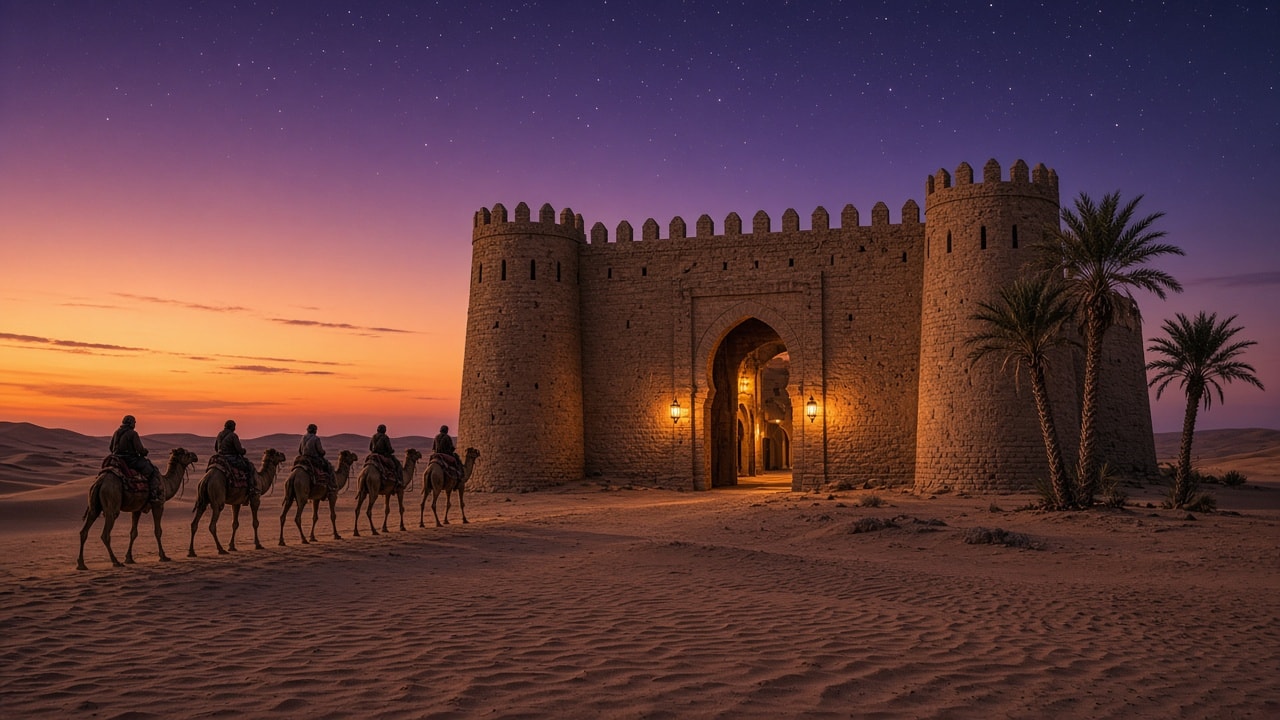
Photoreal dusk shot of a square sandstone caravanserai with two round towers and a lantern-lit arched gate, five camels with riders walking toward it across rippled sand, three palms by the right tower, and an orange-to-violet starry sky. Step 2 of the Desert Caravanserai workflow.
An old square sandstone caravanserai stands in a wide sand desert at dusk while a line of five camels with seated riders walks toward its gate. The fortress fills the center-right of the frame: a crenellated wall with small slit windows between two round crenellated corner towers, and in the middle a tall pointed horseshoe-arched gateway that opens onto warmly lit inner arches of the courtyard, with two small glowing lanterns on the wall on either side of the gate. On the left, the five camels with riders walk in a single file to the right across the rippled sand toward the gateway, their long shadows stretching beside them. Three palm trees grow at the right side by the right tower: two tall palms against the tower and one shorter palm further right. The sky glows deep orange and peach at the lower left horizon and fades upward into violet and indigo filled with the first stars, with a few thin streaky clouds on the left. Low dunes line the horizon on both sides. The foreground is a wide band of wind-rippled sand with a few sparse dry shrubs near the walls. Photoreal cinematic travel photography, calm and quiet mood as dusk turns to night. Wide landscape 16:9. No close-up faces, no text, no signs, no logos.
Animate the step 2 caravanserai image as the first frame into a calm 6-second shot: five camels walk right toward the glowing gate, lanterns flicker, palm fronds sway, sand drifts, stars appear, and the camera slowly pushes in. Step 3 of the Desert Caravanserai workflow.
Start from the step 2 image "Sandstone Caravanserai with a Camel Caravan in the Desert at Dusk" as the exact first frame, and animate it into a calm 6-second cinematic shot. Keep the square sandstone caravanserai with its two round crenellated towers and tall arched gateway in the center-right, the three palm trees beside the right tower, the low dunes, the orange-to-violet sky, and the framing exactly as in the image. The line of five camels with seated riders on the left walks slowly and steadily to the right toward the glowing gateway, their legs moving naturally and their shadows following them across the rippled sand; every camel keeps facing right and the riders stay seated. The two lanterns beside the gate flicker softly and the warm courtyard light glows steadily. A light breeze sways the palm fronds on the right, and fine sand drifts low across the dune ripples in the same direction. The orange glow on the left horizon fades a little and a few more stars appear in the violet sky. The camera makes one slow, smooth push-in toward the gateway. Natural, realistic motion, no cuts, no new objects, no text. Quiet desert wind and soft camel footsteps.
